| Location: > Support > Netscape, PC Site Map |
Netscape v7.x - File Mapping Setup
This page was done using Netscape v7.1.
In order to set up Netscape v7.x to save PDF files, follow these instructions:
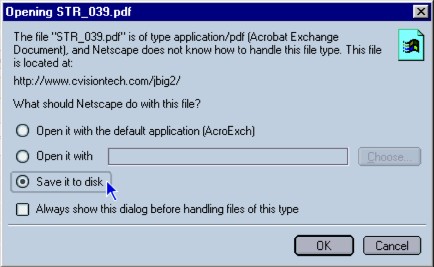
1. Click on the PDF you wish to open, and choose Save in the dialog box that appears.
2. In the next dialog box, choose Desktop as your desired location.
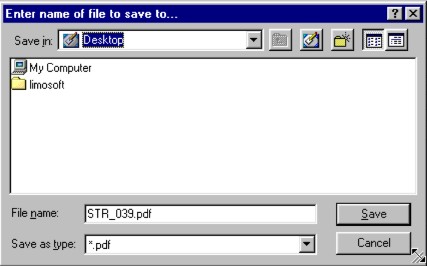
This will save the PDF to your desktop, so that you can view it whenever you wish.